
Upload A Page
Use the CLI when a report or generated page already exists on disk:
peek upload demo.html --visibility publicThe response includes a URL and a slug. Share the URL with reviewers; keep the slug for CLI commands such as stats, comments, visibility, and export.
The dashboard is better when you want to paste HTML, choose visibility visually, copy links, or manage several uploads at once.
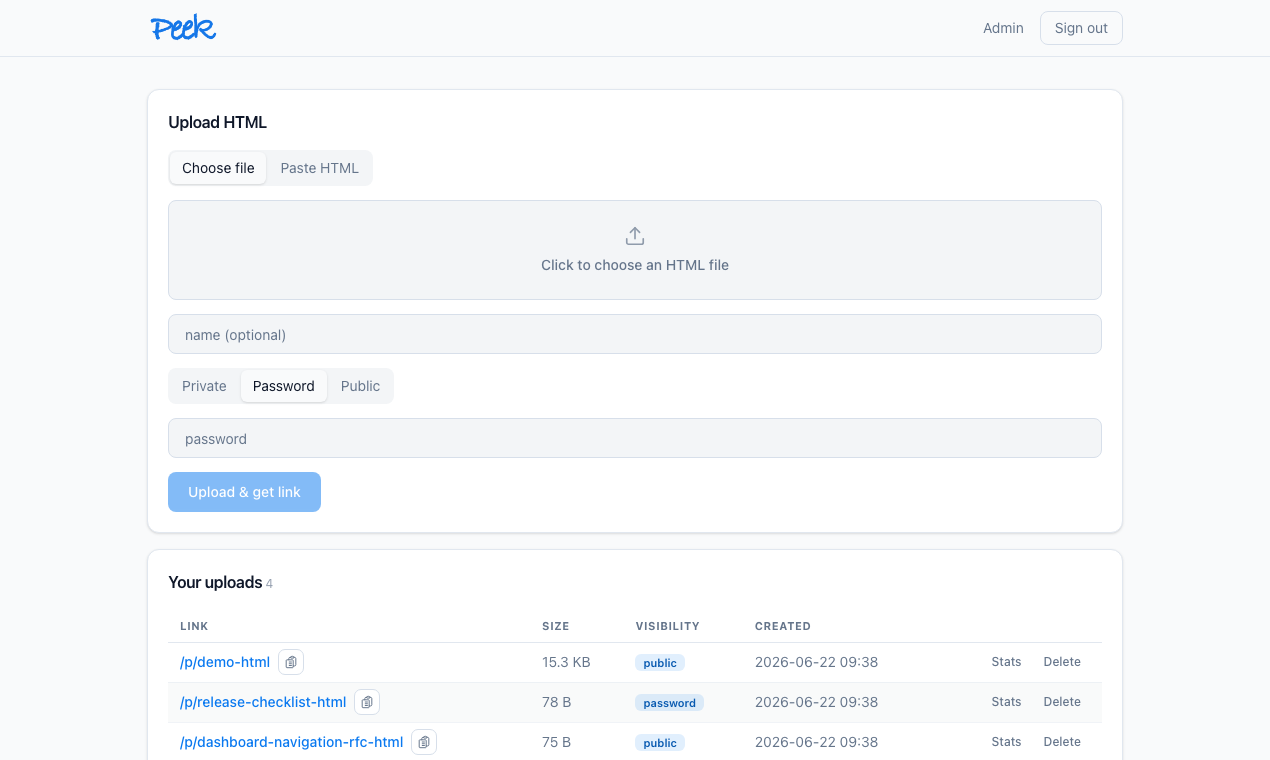
Pick Visibility
Visibility is a review policy, not a storage location.
| Visibility | Who can open it | Good for |
|---|---|---|
public | Anyone with the link | Fast internal sharing where the URL itself is enough control. |
password | Anyone with the link and upload password | Sharing outside the signed-in group without creating accounts. |
private | Signed-in Peek users | Internal reports that should stay behind the company login surface. |
Change visibility after upload when the audience changes:
peek visibility <slug> public
peek visibility <slug> password --password newpass
peek visibility <slug> private
Review In Context
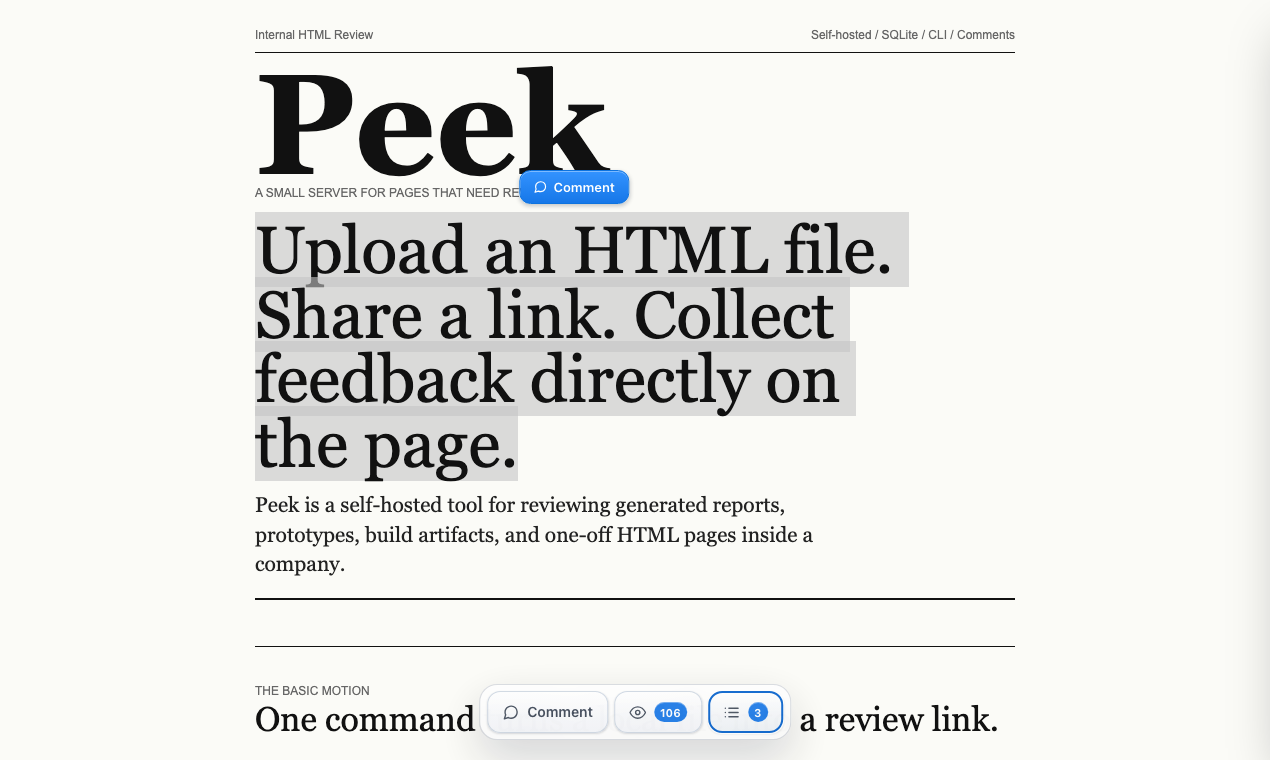
Open /p/<slug>. Peek keeps the uploaded page full-screen and adds a small toolbar for comments, view count, and the comments panel.
Select text when exact wording matters:
Use element comments for sections, charts, cards, headings, or layout issues:
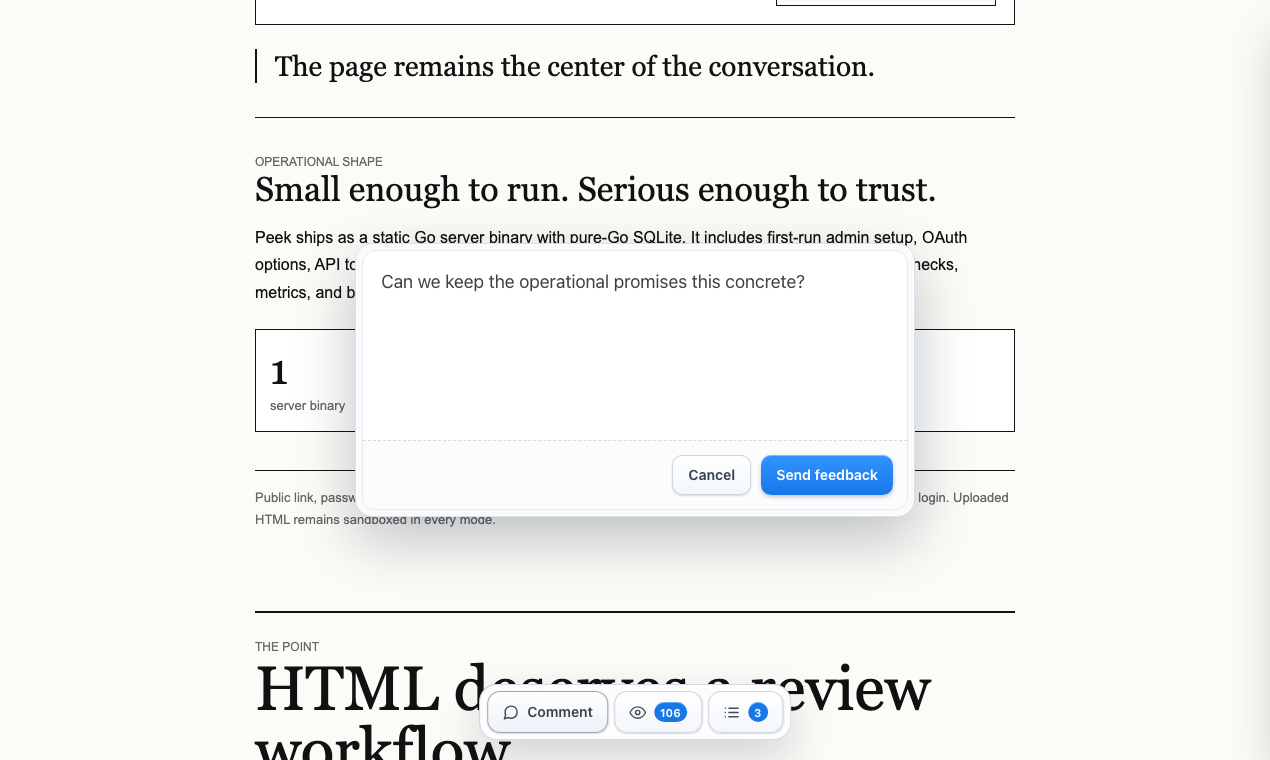
Use a page comment when the note is about the whole artifact rather than one target.
Read Feedback
The comments panel shows author, timestamp, scope, target text, and body. Anchored comments are clickable, so owners can jump back to the relevant part of the page.
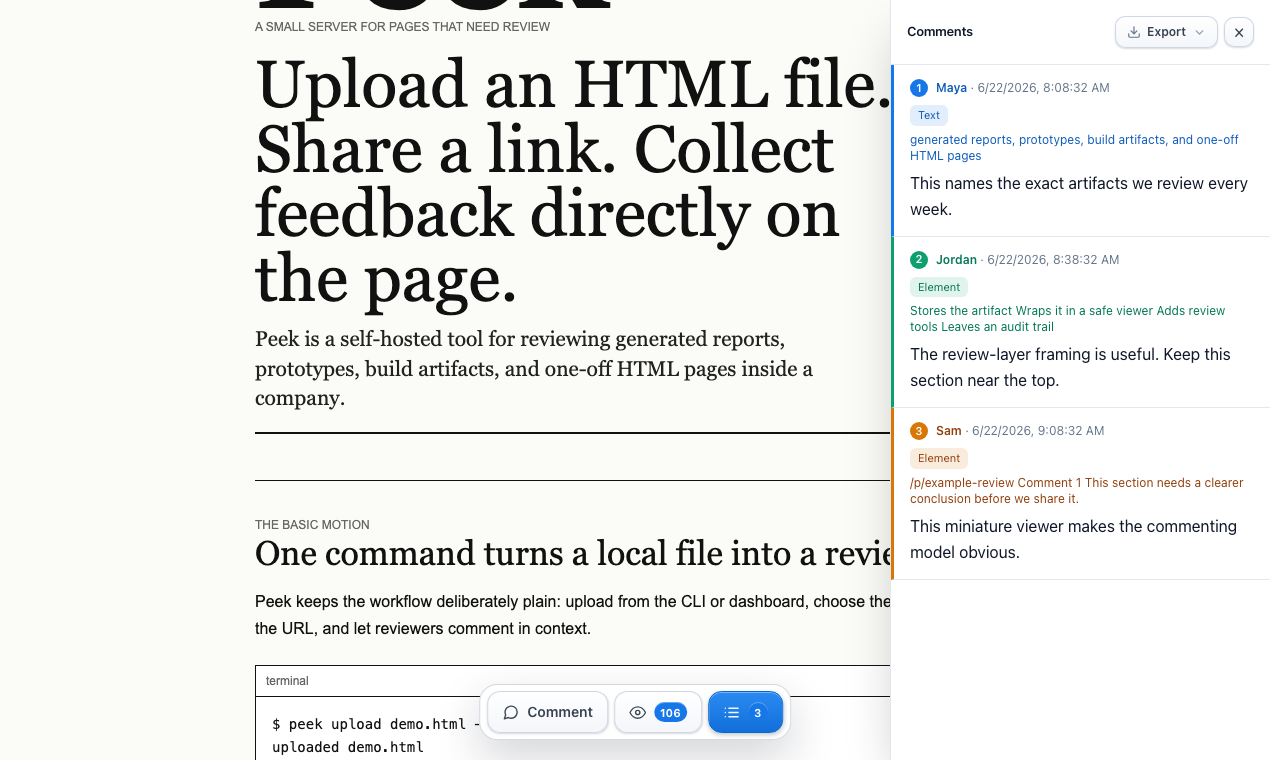
Owners can read comments from the CLI:
peek comments <slug>
peek export <slug>
Use comments for quick terminal review. Use export when an agent, ticket, or audit trail needs the upload metadata, visits, and comments together.
Stats
Stats answer a narrow question: did reviewers open the page?
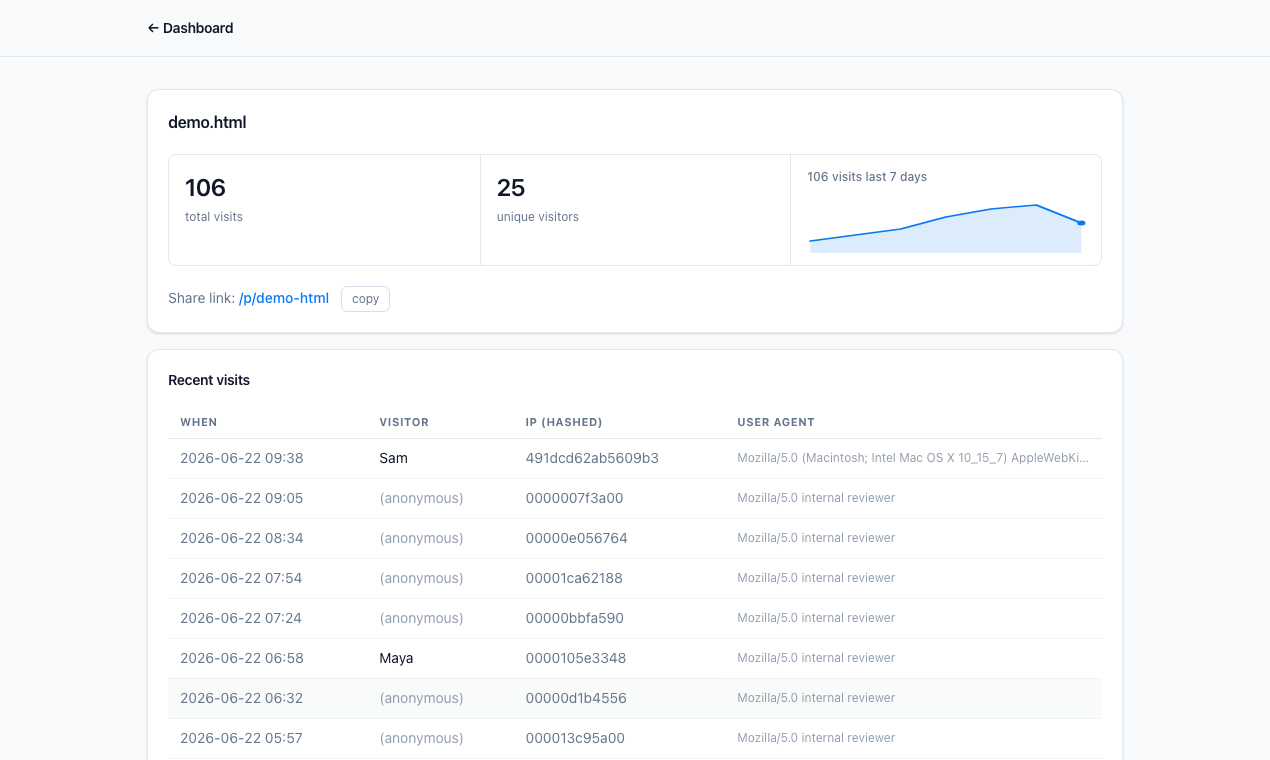
Peek hashes analytics IPs. Treat stats as internal review activity, not a full web analytics product.
CLI Workflow
Configure once:
peek login --host https://peek.example.comCommon user commands:
peek upload <file.html> --visibility public|password|private
peek list
peek stats <slug>
peek comments <slug>
peek export <slug>
peek visibility <slug> public|password|private
peek delete <slug>
peek delete-all
For automation, set PEEK_HOST and PEEK_TOKEN. Prefer browser login, --token-stdin, or --token-file over passing a token directly in the command line.