
Storage Model
Peek keeps metadata in SQLite and upload bytes in the configured object store.
SQLite contains accounts, sessions, tokens, upload metadata, comments, visits, settings, audit logs, and migrations. Object storage contains the uploaded HTML bytes.
Changing the storage backend between file and s3 requires a restart because it changes where peekd reads and writes upload bytes.
File Storage
File storage is the default. Uploaded HTML is stored under the data directory, next to peek.db and secret.key.
Use file storage when one VM or one container volume is the operational source of truth. Back up the whole data directory for the simplest recovery story.
peekd --data /var/lib/peek --storage fileS3-Compatible Storage
S3 storage writes upload bytes to uploads/<object-name> inside the configured bucket. It works with S3-compatible services that support signed PUT, GET, and DELETE object requests.
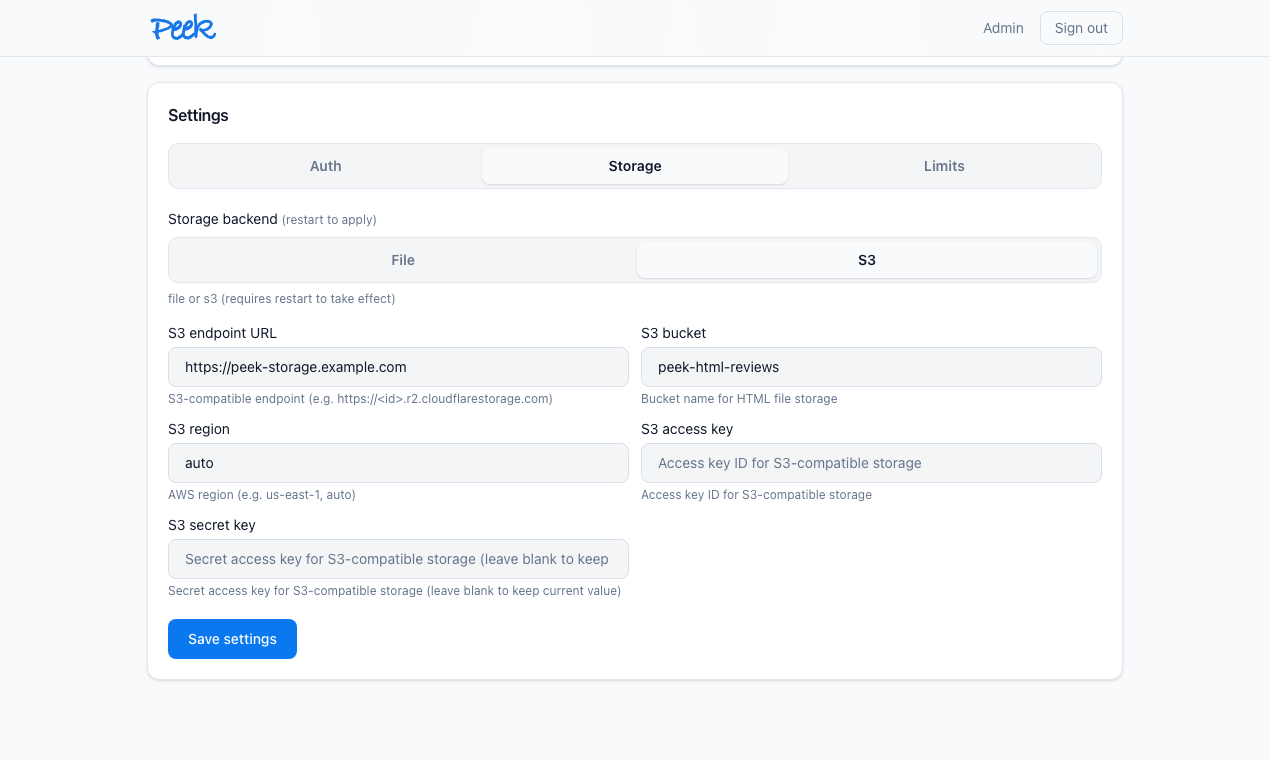
Startup environment:
PEEK_STORAGE=s3
PEEK_S3_ENDPOINT=https://example-account.r2.cloudflarestorage.com
PEEK_S3_BUCKET=peek
PEEK_S3_REGION=auto
PEEK_S3_ACCESS_KEY=...
PEEK_S3_SECRET_KEY=...
Private, loopback, link-local, metadata, and plain HTTP endpoints are blocked by default to reduce SSRF risk. Use PEEK_S3_ALLOW_PRIVATE_ENDPOINT=true only for explicit private deployments such as local MinIO or a controlled internal object store.
After changing S3 credentials or endpoint settings, run a smoke upload and open the resulting page.
Limits And Quotas
Limits protect the server from accidental growth and runaway automation.
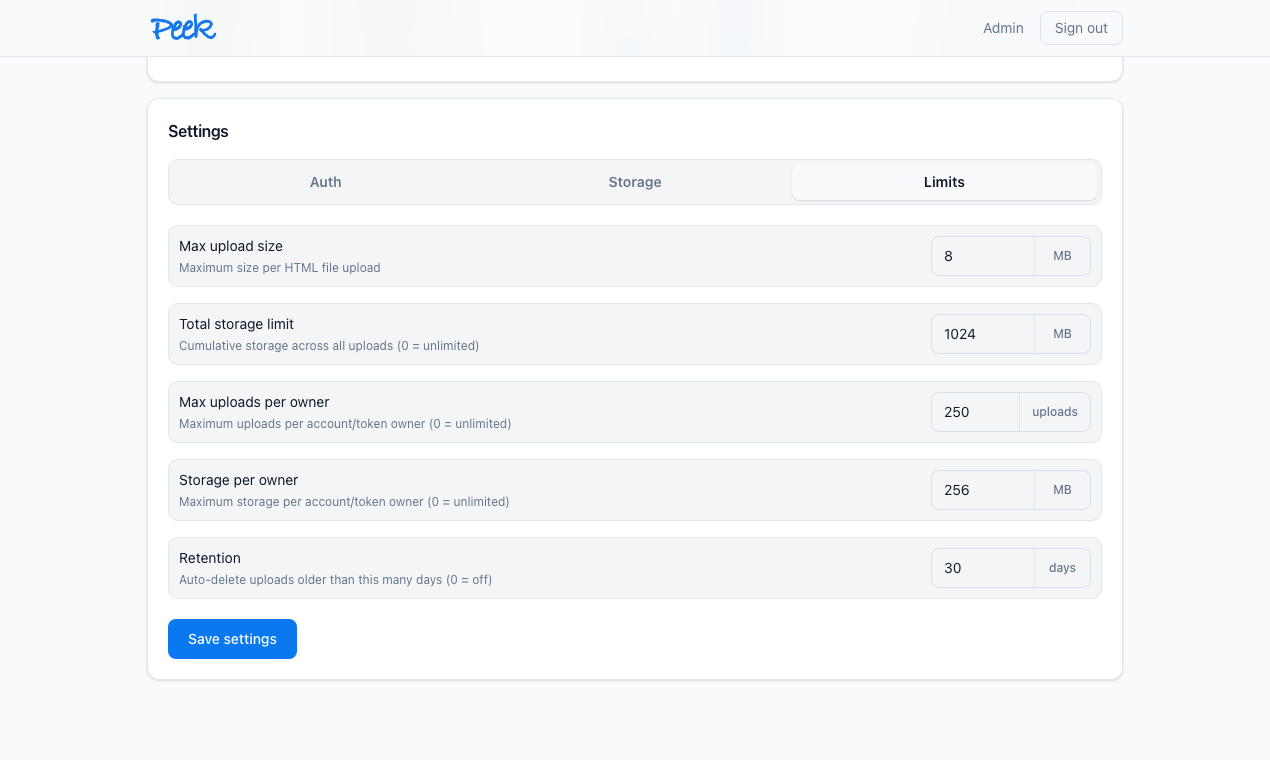
| Limit | Meaning |
|---|---|
| Max upload size | Maximum size for one HTML upload. Must be greater than zero. |
| Total storage limit | Cumulative upload storage across the server. 0 means unlimited. |
| Max uploads per owner | Count limit per account or token owner. 0 means unlimited. |
| Storage per owner | Byte limit per account or token owner. 0 means unlimited. |
The dashboard shows byte-based limits in MB. The API stores the underlying runtime setting in bytes.
Retention
Retention deletes uploads older than the configured number of days. 0 disables automatic cleanup.
Use retention for policy, not as a substitute for backups. If your company treats generated reports as temporary review artifacts, set retention to match that expectation.
Backups
For SQLite consistency while the server is running:
PEEK_DATA=/var/lib/peek peekd backup /backups/peek-$(date +%F).dbWith file storage, also back up the upload directory and secret.key. With S3 storage, the SQLite backup does not contain object bytes; back up or lifecycle-manage the bucket according to the same recovery policy.
Before upgrading storage, auth, retention, or database-sensitive releases, take a backup and test the new binary against a copy of the data directory.