Intermediate Production
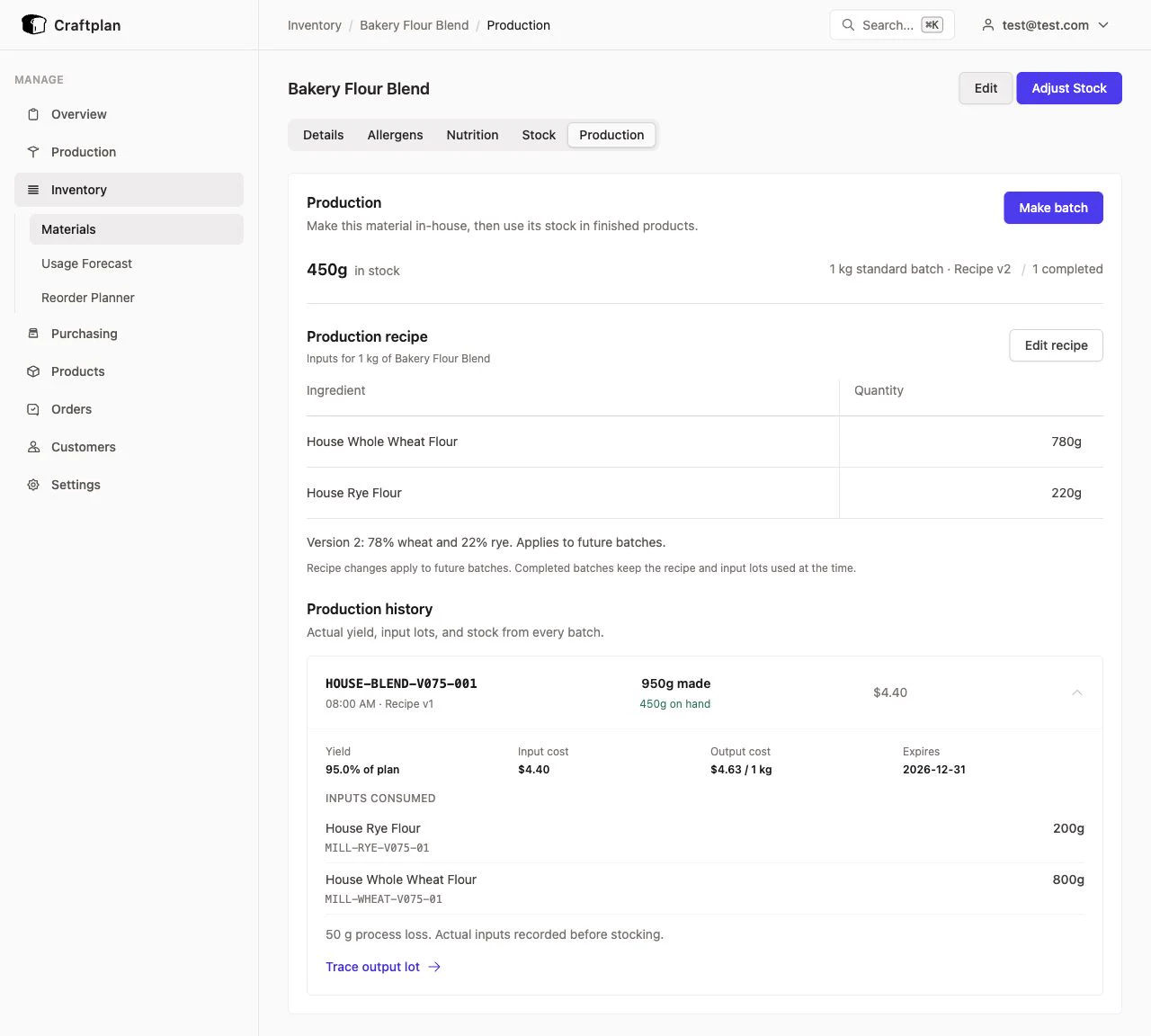
Make a material once, stock it, and use that stock across finished products. Each completed batch preserves its actual yield, costs, input lots, and recipe history.
Available in v0.7.5 and later.
Watch the walkthrough
A 2-minute walkthrough of the current interface, with on-screen explanations and no audio.
Download everything — video, screenshots, and offline guide
Three steps
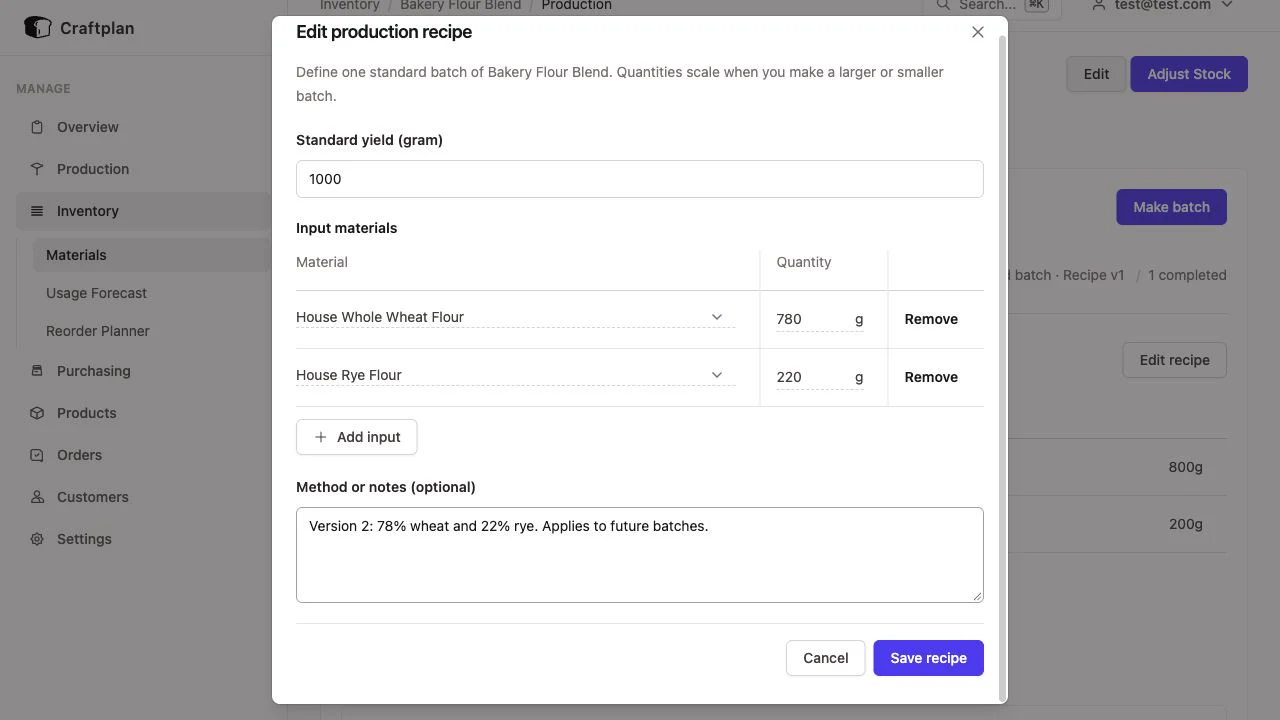
- Define the recipe. Open a material’s Production tab. Add input materials, quantities, and a standard yield using the editable table, then save.
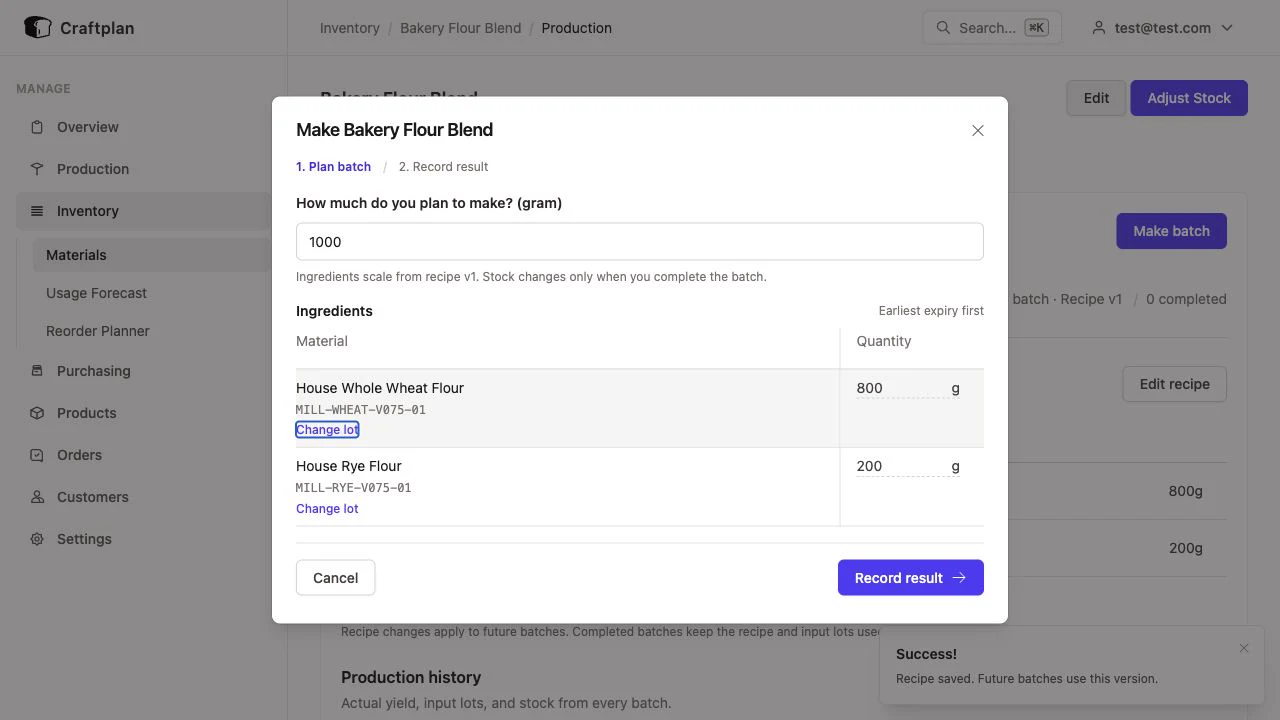
- Plan the batch. Select Make batch and enter the amount to make. Quantities scale automatically. Review suggested lots; use Change lot or Split across lots when needed.
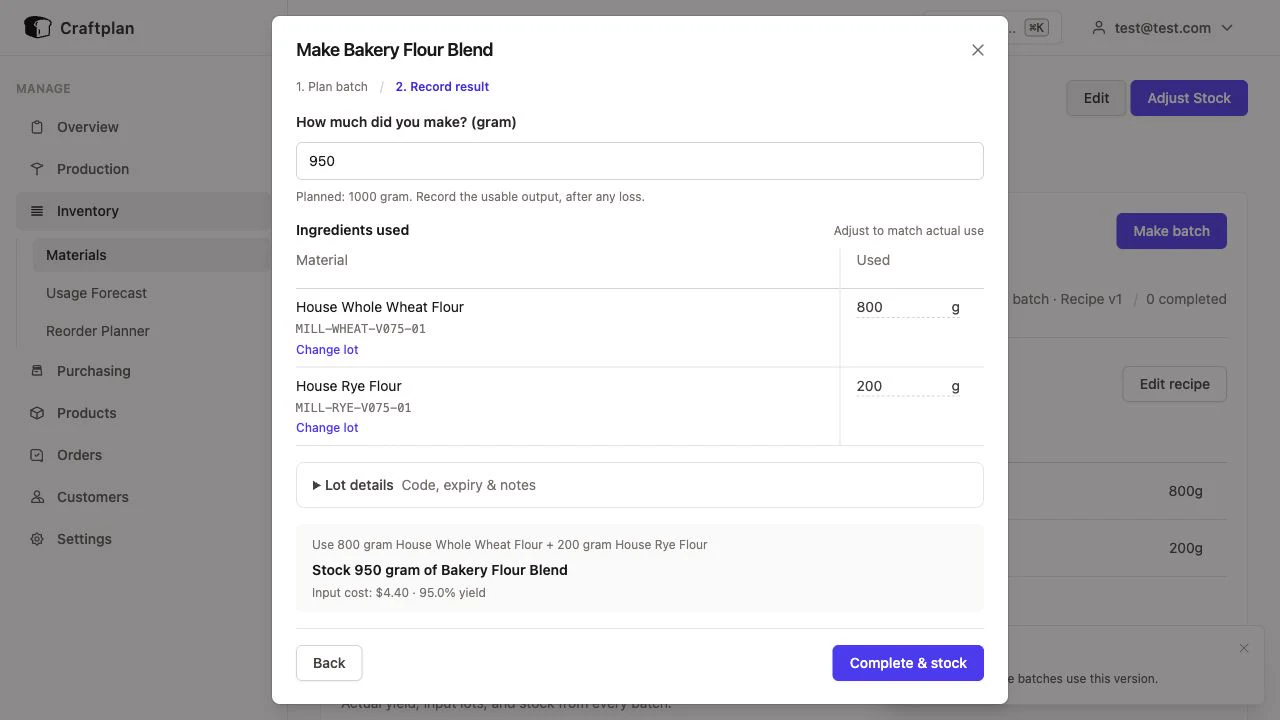
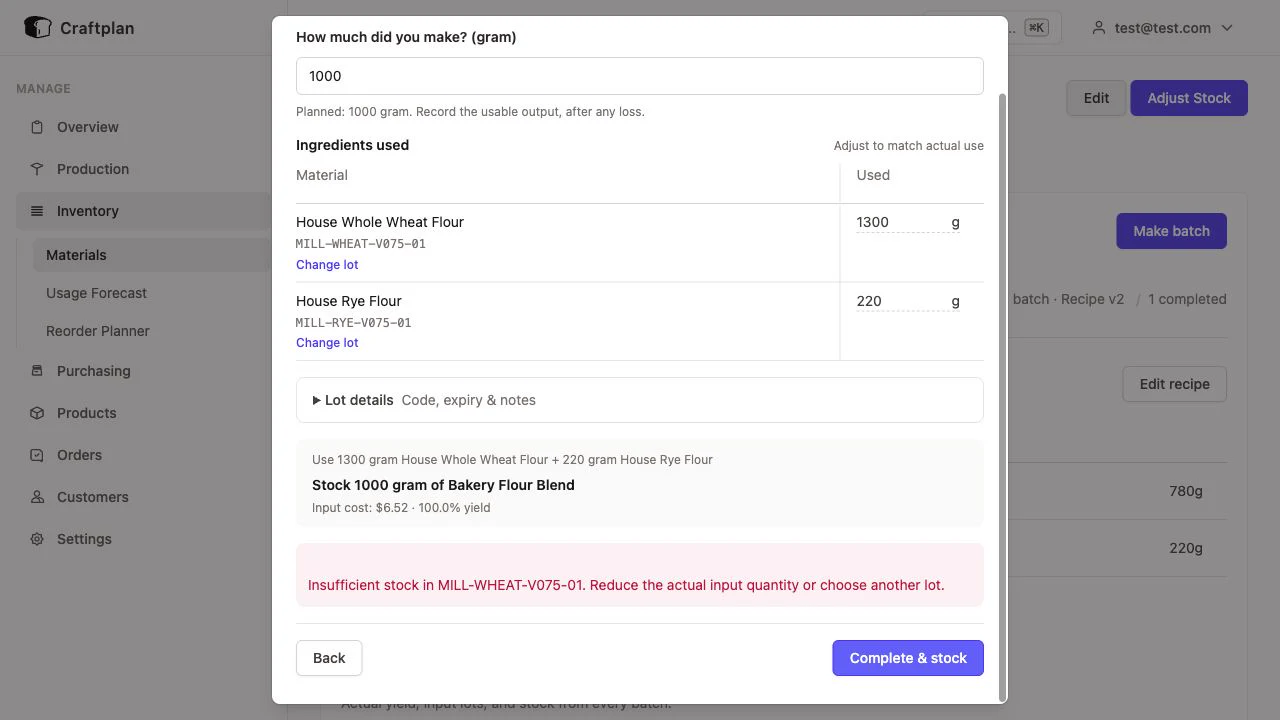
- Record and stock. Select Record result. Enter usable output and actual ingredient usage. Review cost and optional lot details, then select Complete & stock. Stock changes only at completion; Back preserves your entries.
What stays connected
- Finished products consume the intermediate’s stocked lot. Raw inputs are consumed once.
- Actual input costs determine the output lot’s unit cost. New recipes apply to future runs; completed runs retain their original recipe.
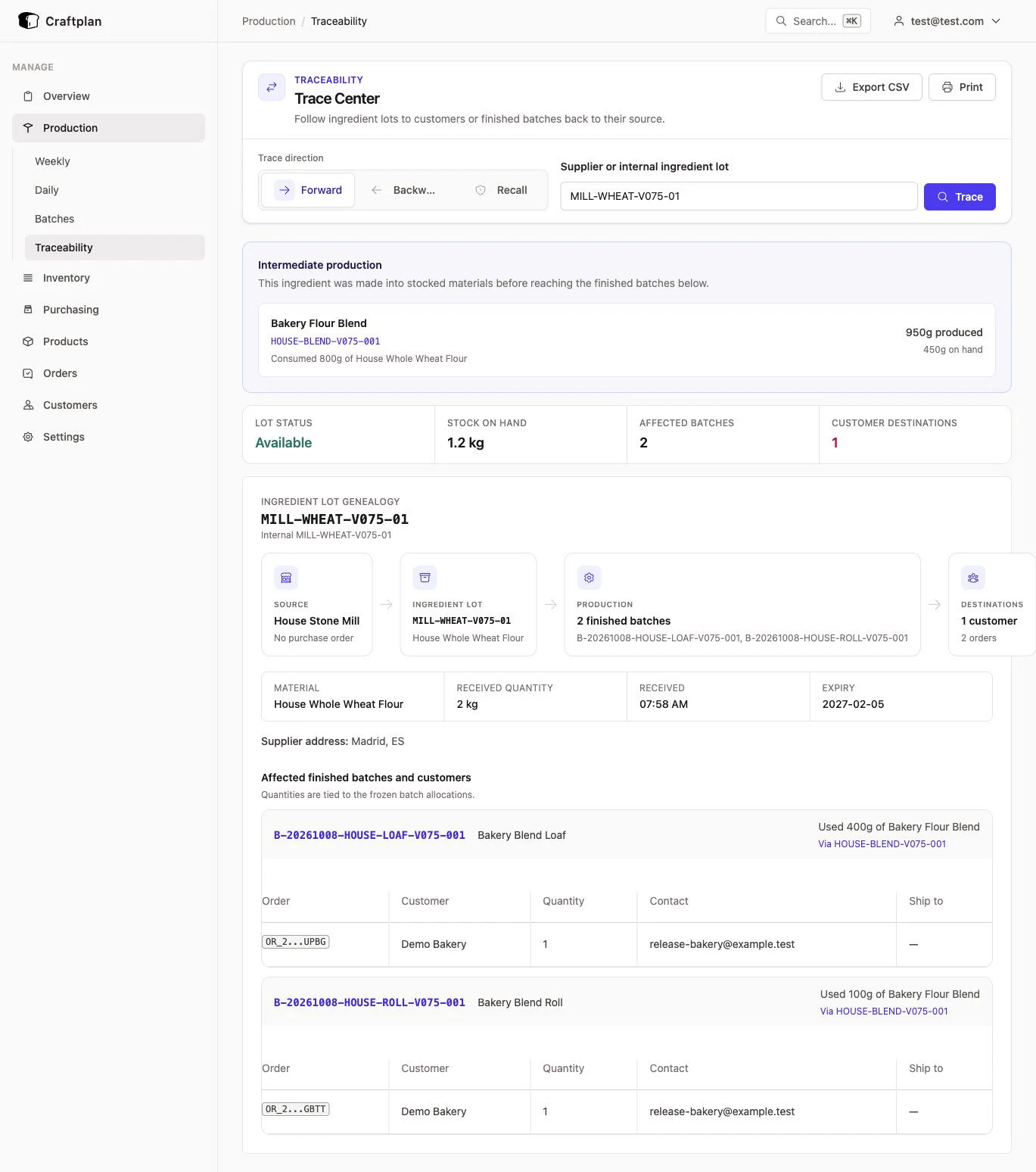
- Trace supplier lots forward to products and customer orders, or finished batches back to their source lots.
- Insufficient stock rejects completion without creating output stock.
Example: $4.40 of inputs yields 950 g of blend, costing $4.63/kg. A loaf uses 400 g and a roll uses 100 g, leaving 450 g.
Recipe, planning, and history screenshots
Tracing and stock validation screenshots
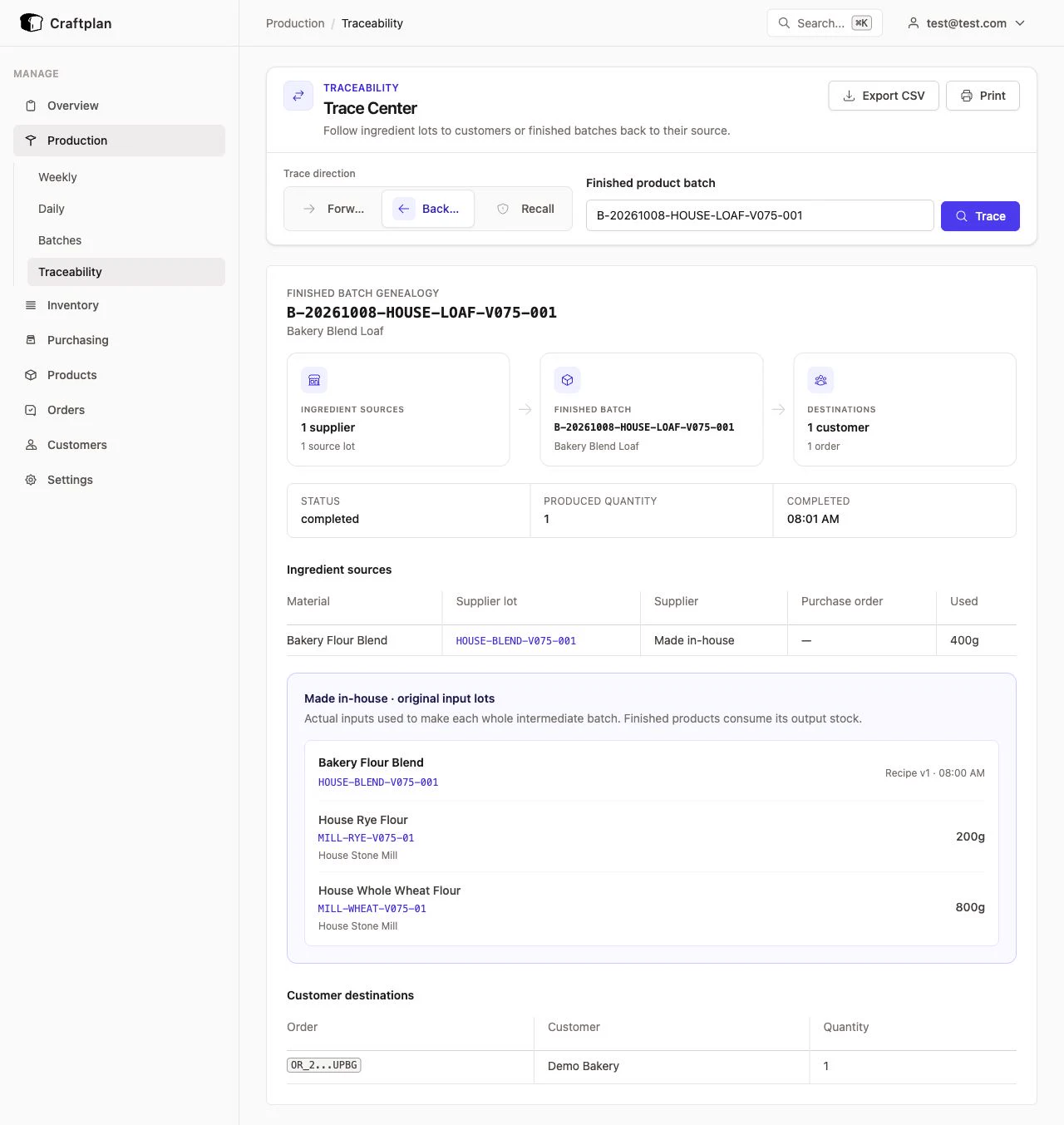
Input quantities in ancestor tracing describe the whole intermediate batch. Allergens and nutritional facts remain maintained separately. All demo media uses an isolated local database with demonstration data.