Settings
The Settings area at Manage → Settings controls global configuration for your Craftplan instance.
General Settings
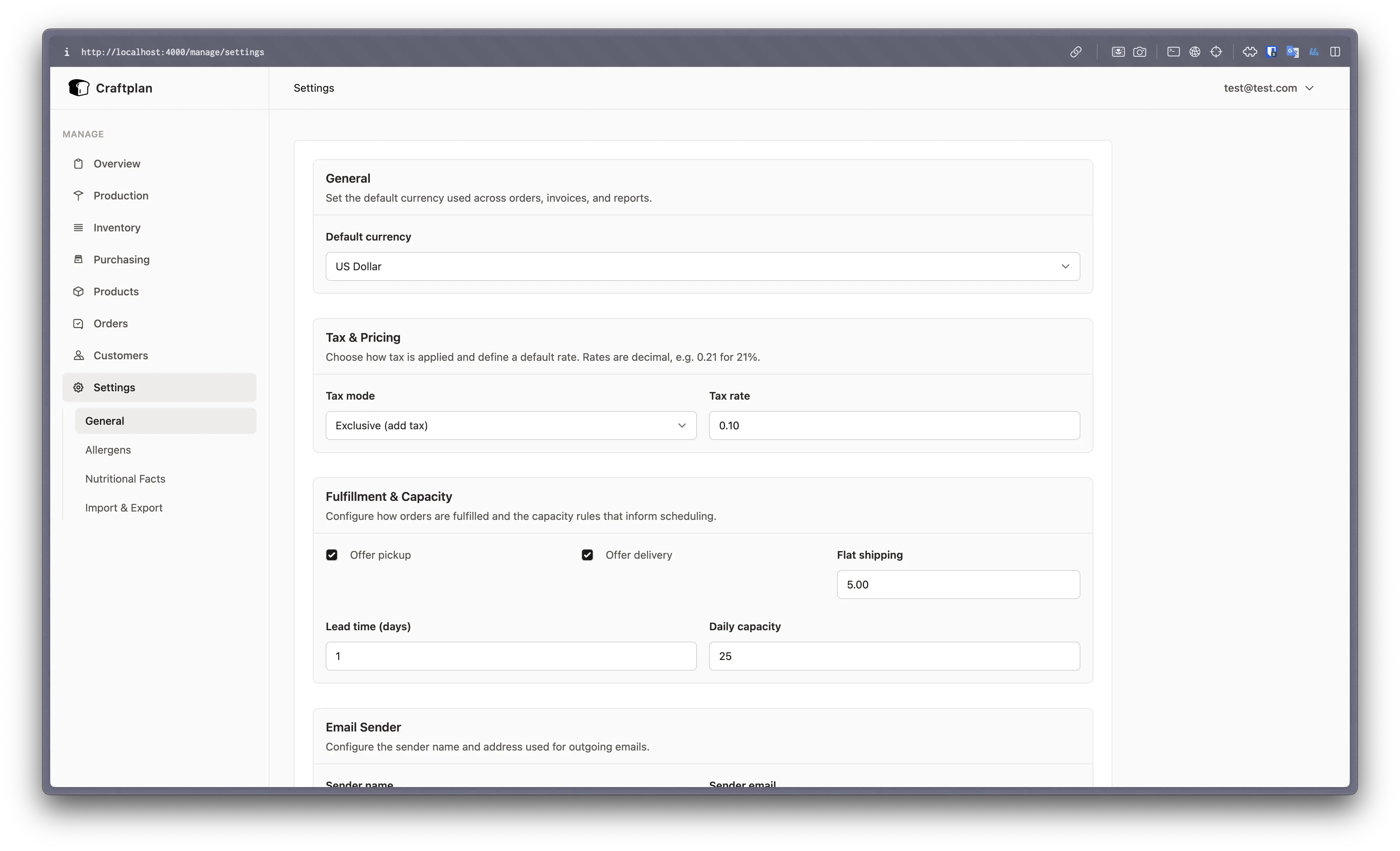
- Hourly rate — Default labor rate used in BOM labor step calculations. Individual steps can override this value.
- Overhead percentage — Applied on top of labor costs during BOM rollup calculations.
- Default currency — Sets the currency for all monetary values (prices, costs, invoices).
Markup Configuration
Configure how suggested retail and wholesale prices are calculated from BOM unit costs:
- Mode — Choose between
percent(percentage markup) orfixed(flat amount added to cost) - Retail markup — Value applied for retail price suggestions
- Wholesale markup — Value applied for wholesale price suggestions
These feed the Suggested Prices card on the product details tab.
Allergens
Manage the list of allergens available for tagging materials. These propagate through BOMs to products automatically.
Nutritional Facts
Configure which nutritional fact fields are tracked (calories, protein, fat, carbohydrates, etc.). Values defined on materials are auto-calculated for products based on BOM component quantities.
Calendar Feed
Subscribe to your Craftplan schedule in Google Calendar, Apple Calendar, or any app that supports iCal feeds. Navigate to Settings → Calendar Feed to manage subscriptions.
- Generate Calendar Feed — Creates a new API key with read-only access to orders, customers, and production batches, and displays a subscription URL. Copy the URL immediately; the full key is only shown once.
- Feed list — All active calendar feeds are listed with their name, masked URL, creation date, and last-used timestamp.
- Revoke — Disable a feed at any time. Any calendar app using that URL will stop receiving updates.
How to subscribe
Google Calendar: Open Settings → Other calendars → + → From URL, paste the feed URL.
Apple Calendar: Go to File → New Calendar Subscription, paste the URL.
What’s included
The feed covers a rolling window: 30 days in the past through 90 days in the future. Events include:
- Order deliveries — Summary shows the order reference and customer name
- Production batches — Summary shows the batch code and product name
The feed endpoint is at /api/calendar/feed.ics?key=<your-key>. Calendar apps refresh automatically on their own schedule.
CSV Import & Export
Settings provides bulk data operations:
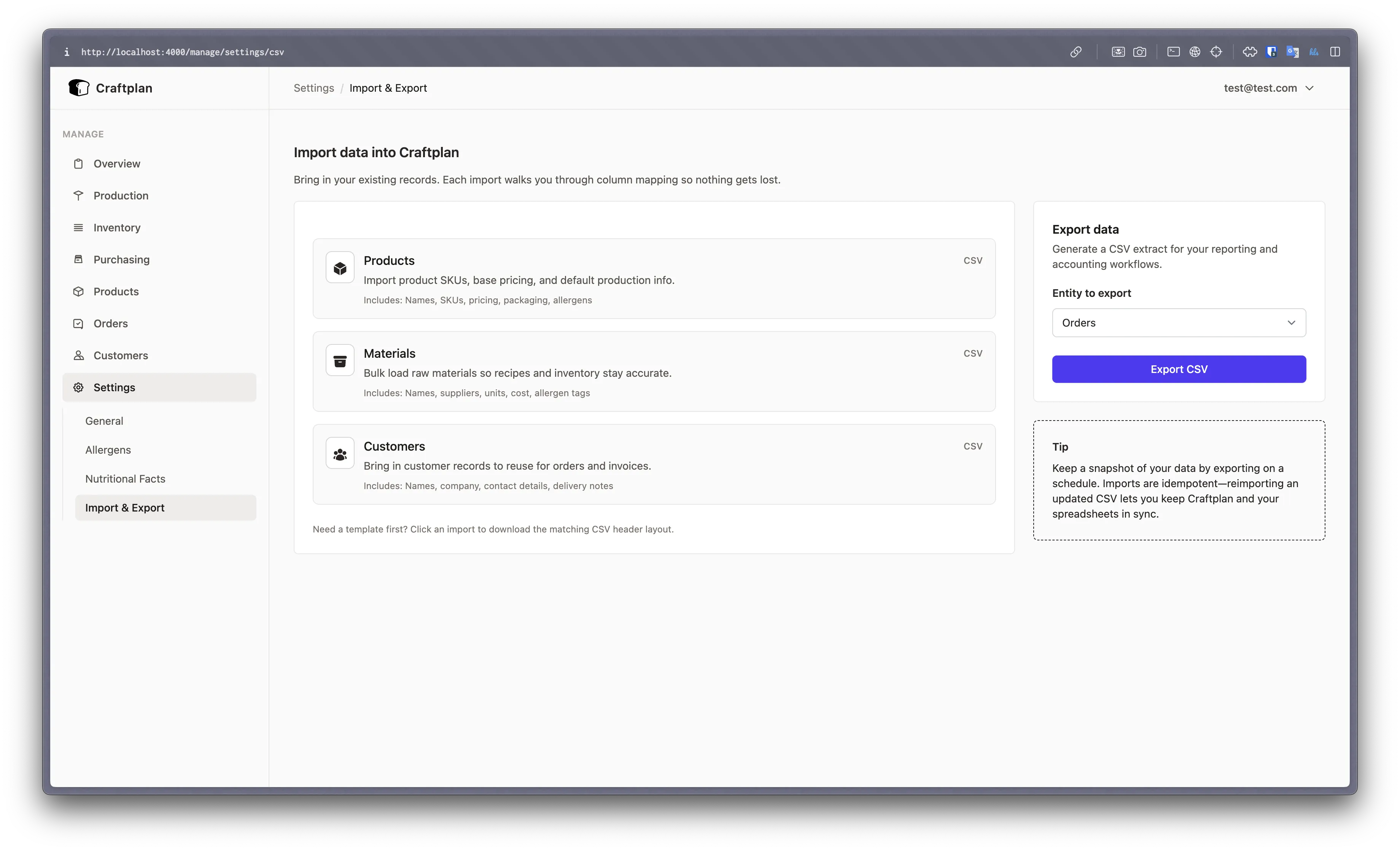
- Export orders — Download order data as CSV
- Export customers — Download customer records as CSV
- Export inventory movements — Download stock movement history as CSV
These exports are useful for external reporting, accounting integration, or data backup.
Email Configuration
Sender Identity
Configure who outgoing emails appear to come from:
- Sender name — Display name shown in email clients (default: “Craftplan”)
- Sender address — From address on outgoing emails (default: “noreply@craftplan.app”)
These settings apply to all transactional emails sent by Craftplan (order confirmations, password resets, etc.).
Email Provider
Craftplan supports multiple email delivery providers. Select a provider from the Provider dropdown in Settings and fill in the required credentials. Once saved, the new provider is active immediately, no restart required.
| Provider | Required Fields |
|---|---|
| SMTP | Host, port, username, password, TLS mode |
| SendGrid | API key |
| Postmark | API key |
| Brevo (Sendinblue) | API key |
| Mailgun | API key, sending domain |
| Amazon SES | Access key, secret key, AWS region |
API keys and secrets are encrypted at rest using AES-256-GCM via the Cloak library.
SMTP
The default provider. Configure your own mail server or a third-party SMTP relay:
- SMTP host — Hostname of your mail server (e.g.
smtp.mailgun.org) - SMTP port — Server port (default: 587)
- Username — SMTP authentication username
- Password — SMTP authentication password
- TLS — Transport security mode:
if_available(default),always, ornever
When credentials (username and password) are left blank, Craftplan connects without authentication.
SendGrid / Postmark / Brevo
These providers require a single API key obtained from their respective dashboards.
Mailgun
Requires an API key and the sending domain you have verified with Mailgun (e.g. mg.example.com).
Amazon SES
Requires an IAM access key, secret key, and the AWS region where SES is configured. Available regions include us-east-1, us-west-2, eu-west-1, eu-central-1, ap-south-1, and ap-southeast-2.
Environment Variable Fallback
You can also configure the email provider via environment variables at deploy time. Database settings always take priority.
| Variable | Description |
|---|---|
EMAIL_PROVIDER | Provider name: sendgrid, postmark, brevo, mailgun, or amazon_ses |
EMAIL_API_KEY | API key (or SES access key) |
EMAIL_API_SECRET | SES secret key (Amazon SES only) |
EMAIL_API_DOMAIN | Sending domain (Mailgun only) |
EMAIL_API_REGION | AWS region (Amazon SES only, default: us-east-1) |
For backward compatibility, if EMAIL_PROVIDER is not set but SMTP_HOST is present, Craftplan uses the SMTP adapter with the legacy variables:
| Variable | Description |
|---|---|
SMTP_HOST | Mail server hostname |
SMTP_PORT | Mail server port (default: 587) |
SMTP_USERNAME | Auth username |
SMTP_PASSWORD | Auth password |
Encryption Key
In production, a CLOAK_KEY environment variable is required to encrypt and decrypt API keys stored in the database. Generate one with:
openssl rand -base64 32