Orders
The Orders module manages the full lifecycle of customer orders from creation through delivery.
Creating Orders
Navigate to Manage → Orders to see all orders. Create a new order by:
- Selecting a customer
- Setting a delivery date
- Adding order items (products with quantities)
Each order gets a unique reference number for tracking.
Order Items & Statuses
Order items track individual products within an order. Each item progresses through statuses:
- Pending — Item created, not yet scheduled
- Scheduled — Assigned to a production date
- Completed — Production finished via batch completion (material consumption and cost snapshot triggered)
- Delivered — Item shipped to customer
Items are allocated to production batches from the planner’s day-view kanban board. When a batch is completed, its allocated order items receive a cost snapshot with material, labor, and overhead costs.
Calendar View
The order calendar provides a visual timeline of upcoming deliveries. Use it to:
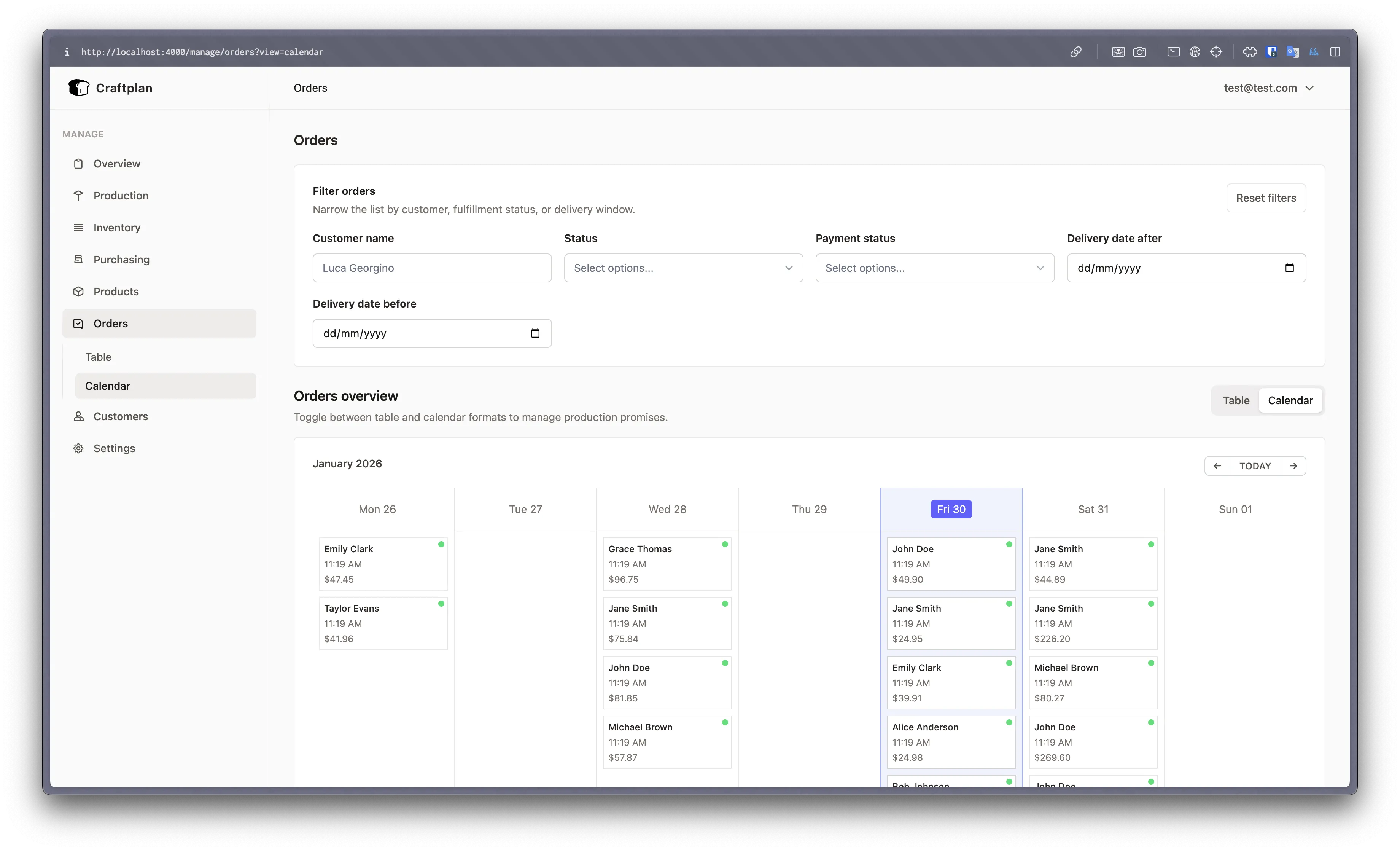
- See delivery commitments by day and week
- Identify capacity conflicts
- Drag items between dates for rescheduling
The calendar integrates with the planner’s schedule tab for production planning.
Invoicing
Orders can generate invoices that include:
- Line items with quantities and prices
- Cost data pulled from BOM rollups at completion time
- Customer billing and shipping addresses
CSV Export
Orders can be exported to CSV from Manage → Settings. The export includes order details, item breakdowns, statuses, and delivery dates for use in external tools or reporting.