Inventory
The Inventory module tracks raw materials from receiving through consumption, with full lot traceability and demand forecasting.
Materials
Navigate to Manage → Inventory → Materials to see all raw materials. Each material record includes:
- Name, SKU, and unit of measure
- Buy price (used for BOM cost calculations)
- Minimum and maximum stock levels for reorder alerts
- Allergen flags (auto-aggregated into products via BOMs)
- Nutritional facts per unit (auto-calculated into product nutrition via BOMs)
Lots
Materials are organized into lots for traceability. Each lot tracks:
- Quantity on hand
- Supplier and purchase order reference
- Expiry date
- Receiving date
When consuming materials during production, stock is deducted from lots based on availability.
Stock Movements
Every change to inventory is recorded as a movement with a type:
- Receive — Stock added from a purchase order or manual adjustment
- Consume — Stock deducted during production batch completion
- Adjust — Manual corrections (e.g., spoilage, stocktake differences)
The movement history provides a full audit trail for each material.
Allergens & Nutritional Facts
- Materials can be tagged with allergens (e.g., gluten, dairy, nuts). These propagate up through BOMs so that products automatically show aggregated allergen information.
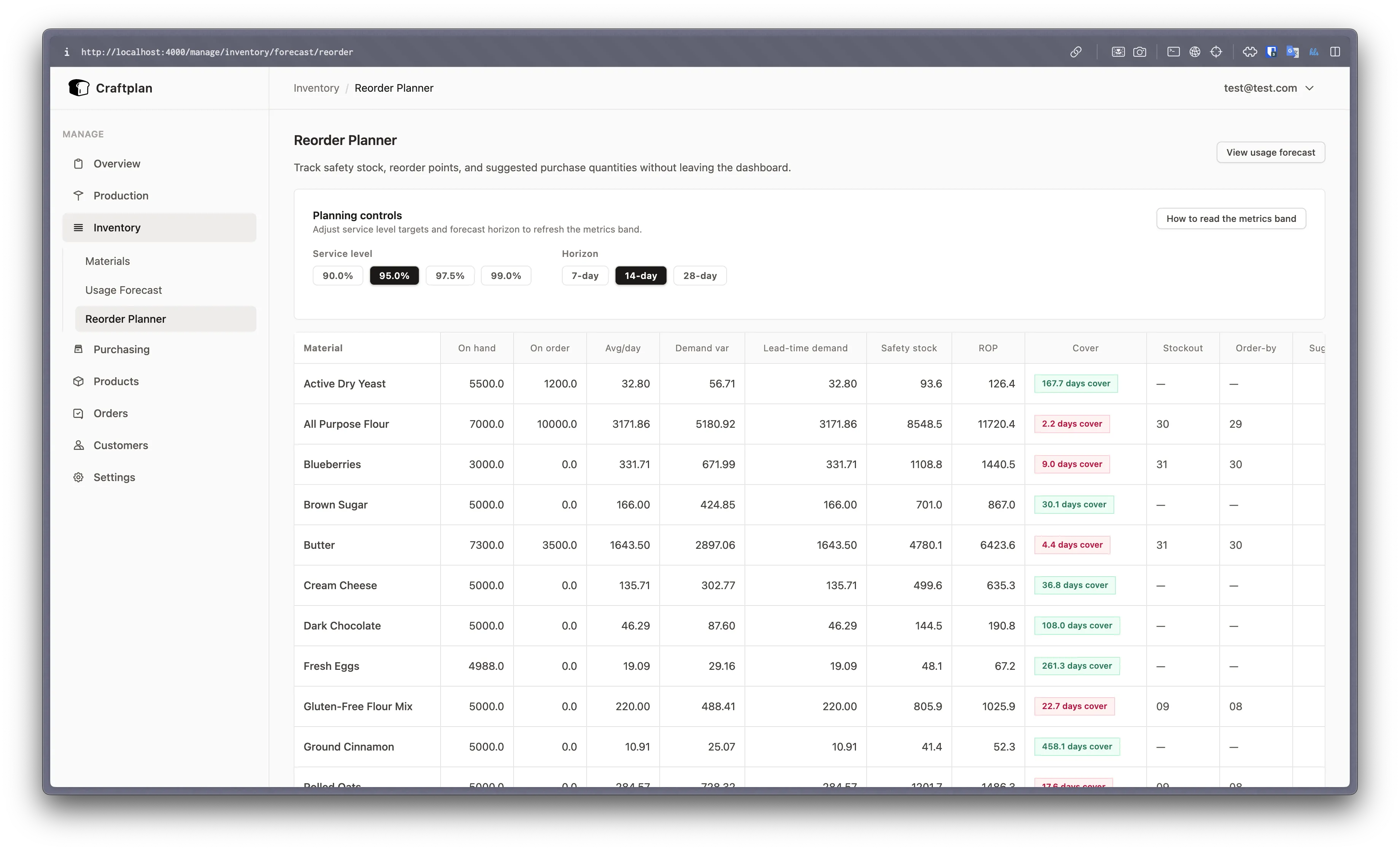
- Nutritional facts (calories, protein, fat, carbs, etc.) are defined per material unit. When a BOM references the material, the product’s nutritional facts are calculated from the component quantities.
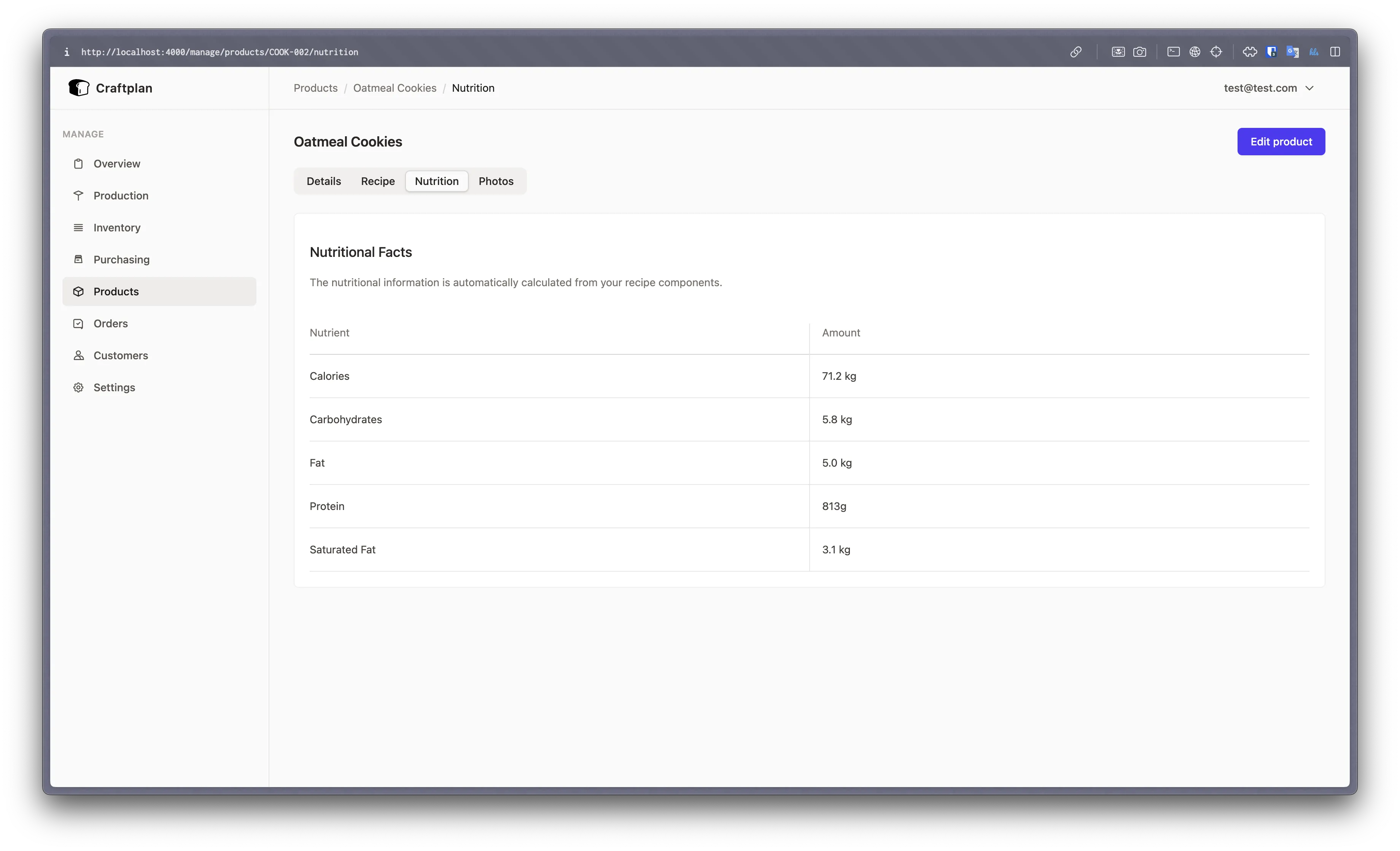
Forecasting & Reorder Planning
The inventory forecasting module (Craftplan.InventoryForecasting) predicts material demand based on upcoming orders:
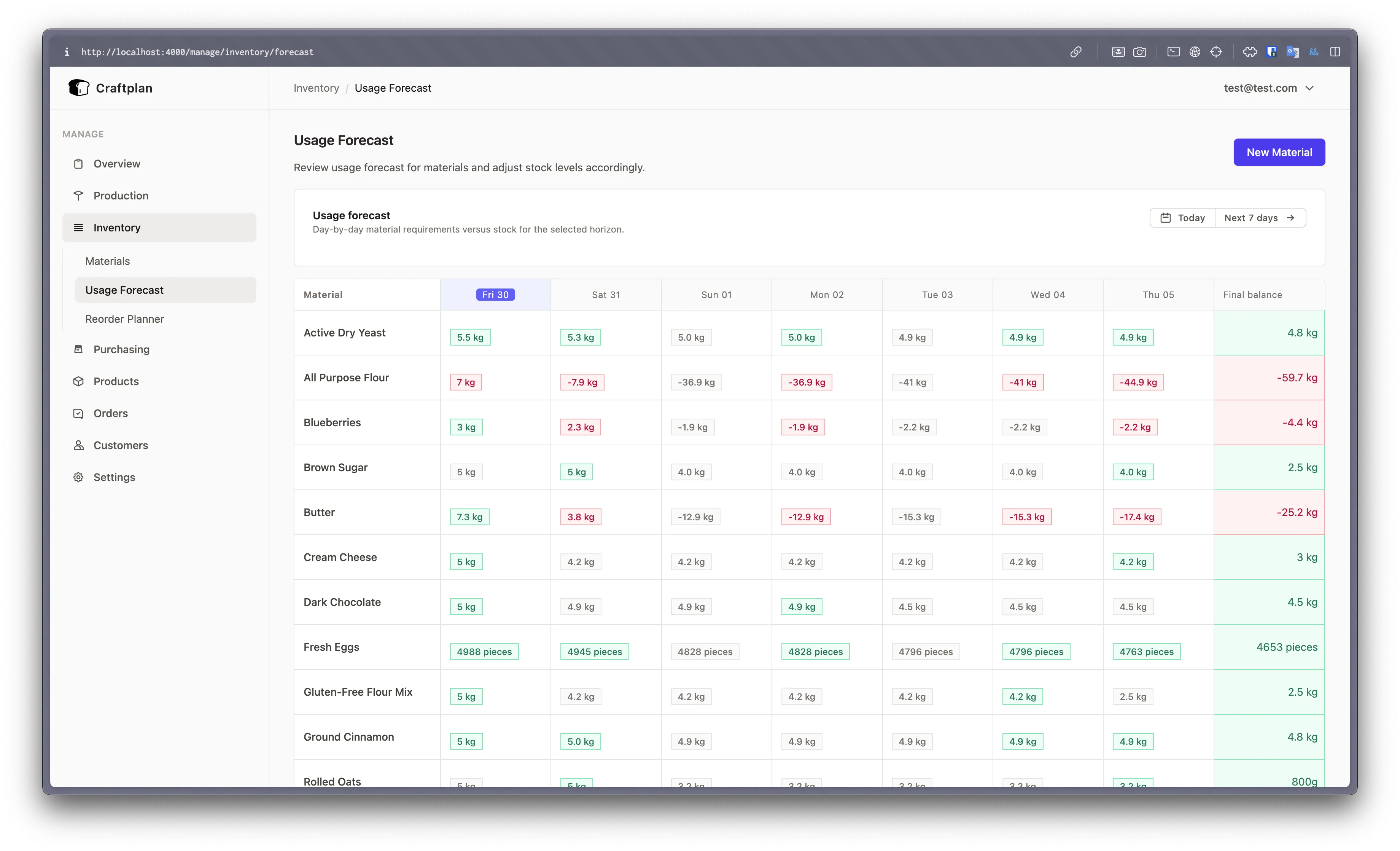
- Looks at confirmed orders and their delivery dates
- Calculates required material quantities from product BOMs
- Compares demand against current stock levels
- Highlights shortages so you can create purchase orders before running out
The Materials tab on the planner also surfaces shortage warnings for the selected time horizon.